Turn your photo into a cross stitch pattern
Start in the pattern maker if you already know what you want to stitch. Upload a photo or describe the piece you want to make, and StitchLark builds the first draft, maps the DMC colors, and leaves you with the cleanup that actually needs a human eye.
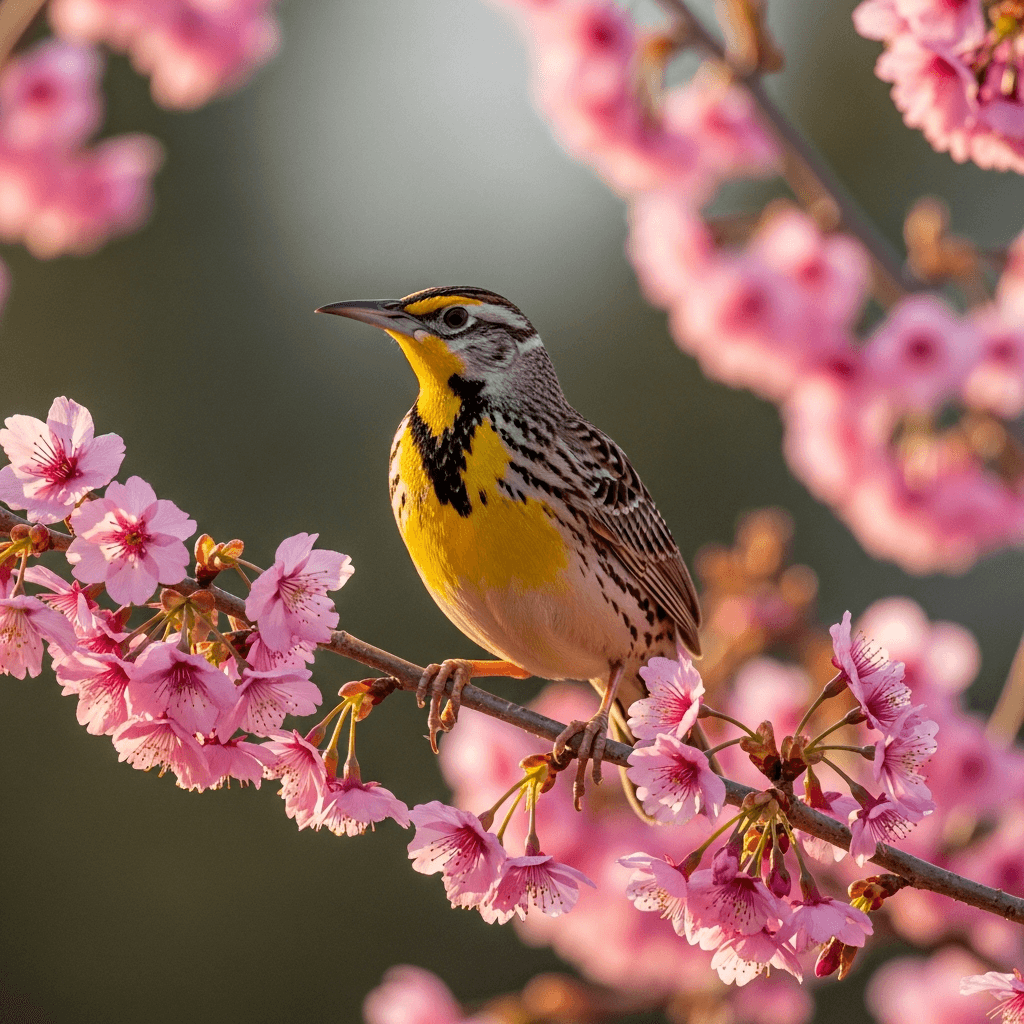
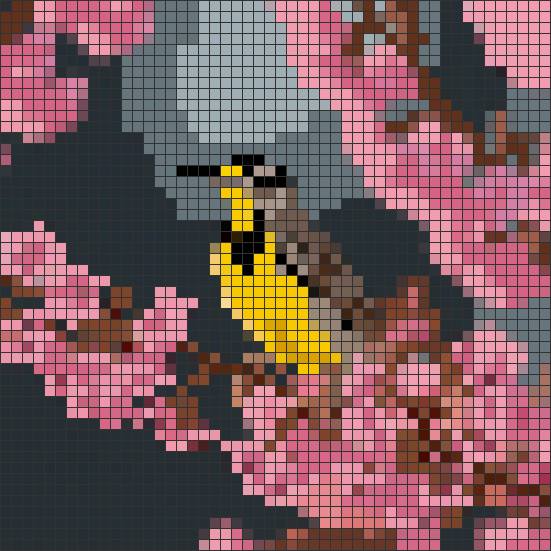
How it works
Three steps from idea to stitchable pattern.
Upload a photo or describe your idea
Start with a pet photo, a wedding picture, or a short prompt. Rough is fine. You can refine it after.
AI generates your pattern in seconds
StitchLark builds the first draft: grid size, palette, and DMC mapping. You get to a chart fast instead of spending an hour on setup.
Keep it only if it earns a place in your workflow
Judge the draft first. Create a free account if you want to save it, or go Pro when you need more generations and bigger pattern limits.
Everything you need to design patterns
Go from idea to printable chart without bouncing between a converter, a spreadsheet, and an old editor.
Photo to pattern
Upload a photo and get a usable first draft. StitchLark reduces the colors, assigns symbols, and gives you a chart you can clean up instead of starting from zero.
Describe it in words
No photo? Type the idea. Good for gift concepts, quick experiments, or starting a chart before you know every detail.
Full grid editor
Fix the parts the first draft missed. Draw, erase, fill, and swap colors without fighting an old desktop app.
DMC thread codes
Every color maps to a real DMC number, so you can buy thread without squinting at a screen and hoping you guessed right.
PDF and PNG export
Download a stitch-first PDF packet with color and black-and-white symbol charts, a floss legend, and large-print pages when you need them.
Pattern library
Save the chart, come back later, and keep iterating instead of exporting a file and losing track of it.
A modern take on pattern design
A lot of older pattern tools still work, but they make you do the slow parts by hand. StitchLark cuts out the setup work so you can spend your time fixing the parts that actually matter.
Want the detailed head-to-head view? See how StitchLark compares →
| Feature | StitchLark | Other tools |
|---|---|---|
| AI photo-to-pattern | ✓ | — |
| AI text-to-pattern | ✓ | — |
| Grid editor | ✓ | ✓ |
| DMC thread codes | ✓ | ✓ |
| PDF export | ✓ | ✓ |
| Modern UI | ✓ | — |
| Free tier | ✓ | ✓ |
Free to try. Upgrade when you're ready.
Start with the free tier. Pay only if it earns a place in your workflow.
Free
$0
- ✓ 5 AI generations (lifetime)
- ✓ Unlimited saved patterns
- ✓ Up to 150×150 grid
- ✓ PNG export
- ✓ Symbol PDF packet export
Pro
$4 / month
billed annually at $48/yr, or $6/mo monthly
- ✓ Unlimited patterns
- ✓ 20 AI generations per month
- ✓ Any grid size
- ✓ Full DMC color library
- ✓ Better results on detailed charts
- ✓ Priority support
Start in the photo-to-pattern flow
If you already know what you want to make, go straight to the generator. If you are still deciding, browse sample charts first and come back when you are ready.